 +1.917.695.7440
Zap Attachment Viewer
View/Preview all attachments (from notes, emails, portal comments) within form for a single record + New functionality (Released: July 2025): view/download/delete email attachments in global view for all records!
Zap Attachment Viewer offers 2 major functionalities:
– Single Record View: Here we display all attachments from notes, emails and portal comments together for a particular record. The attachments can be displayed from current as well as related records.
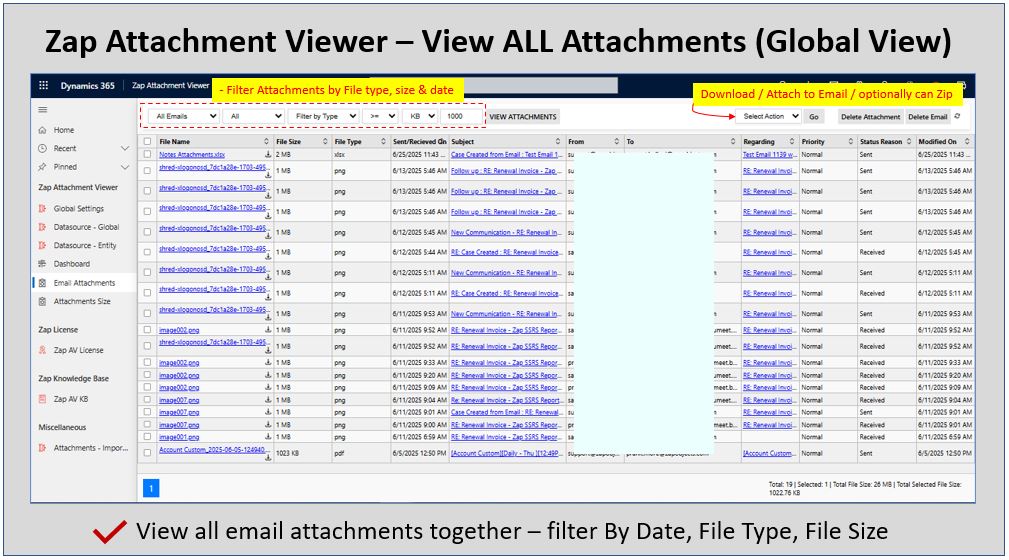
– Global View: Here, you can view all email attachments together, which can be filtered by date, size, related table. (Use-case: Filter-out higher size email attachments and delete them (while retaining the original emails))

Works With:


Recent Updates
Product Features – Single Record View
Product Features – Global View (released July 2025)
General FAQ
Yes, all our Zap Apps come with a 15-day trial. Please note that there is no functional difference between trial and licensed version.
Download and install the app solution file. Browse to Zap Apps >> Zap License to open the license registeration page (Refresh the page, if “Zap Apps” is not visible in sitemap). Fill-in the details and click “Register” button.
This will automatically start your 15-day trial. Feel free to email support@zapobjects.com if you have any questions.
You can purhcase any of Zap Apps from our online store. If you have already taken the trial then just let us know your CRM organization name and we will activate the trial to paid license online (no need to uninstall and reinstall the solution).
If you have not yet installed the solution in production then proceed with installation and registeration… once done let us know the CRM organization name.
All our apps are licensed by user-tier which is based on the total number of enabled CRM Users. To find the enabled CRM users, browse to Settings >> Security >> Users and change the view to Enabled Users.
Zap Objects offers few apps as free for commercial use. In-order to get your free license, register the license profile online. (Refer licensing KB articles for more info)
Zap Attachment Viewer FAQ
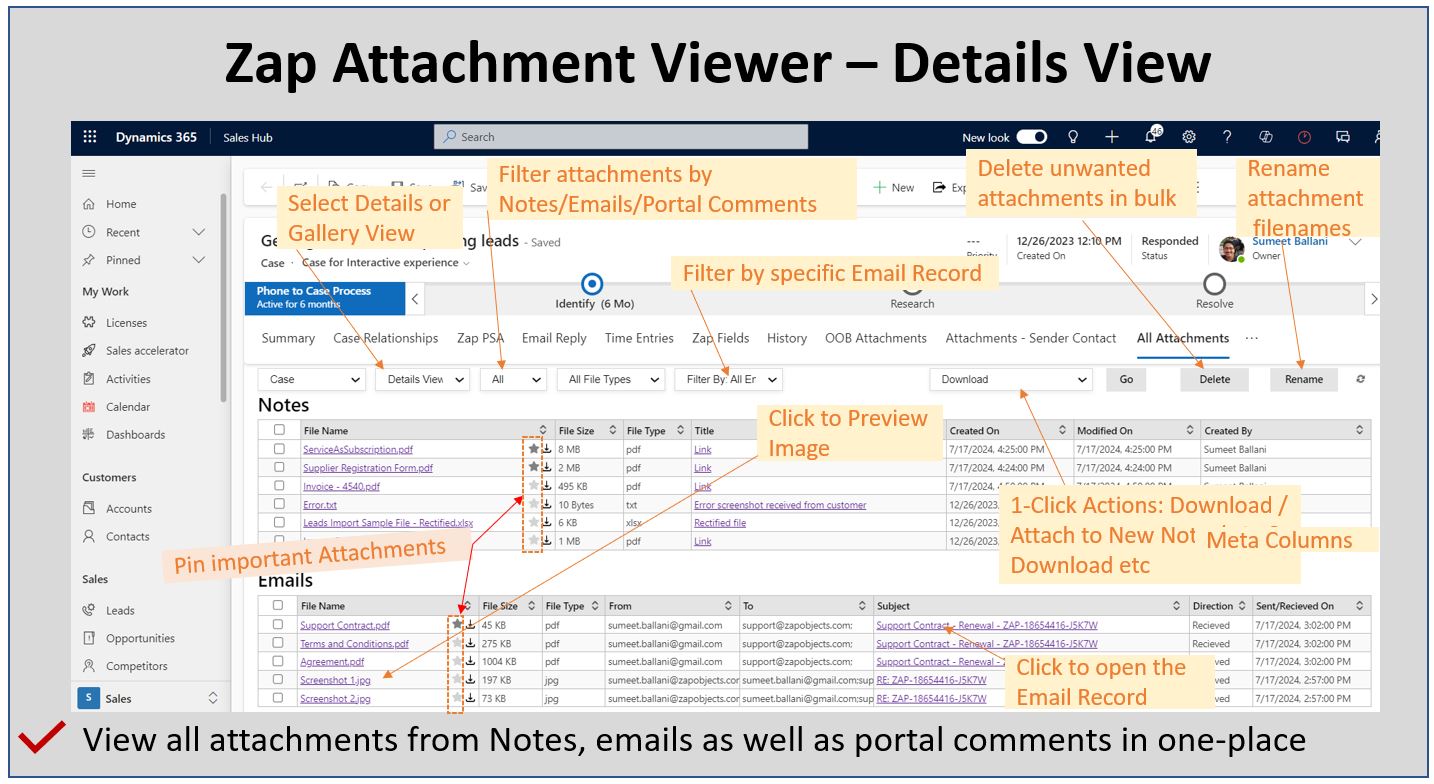
Feature Highlight #1: View Attachments list in Details View with additional details (like Notes Title, Email Subject, Recipient [From/To], Email Status [Sent / Received] ) with direct hyperlink to source.
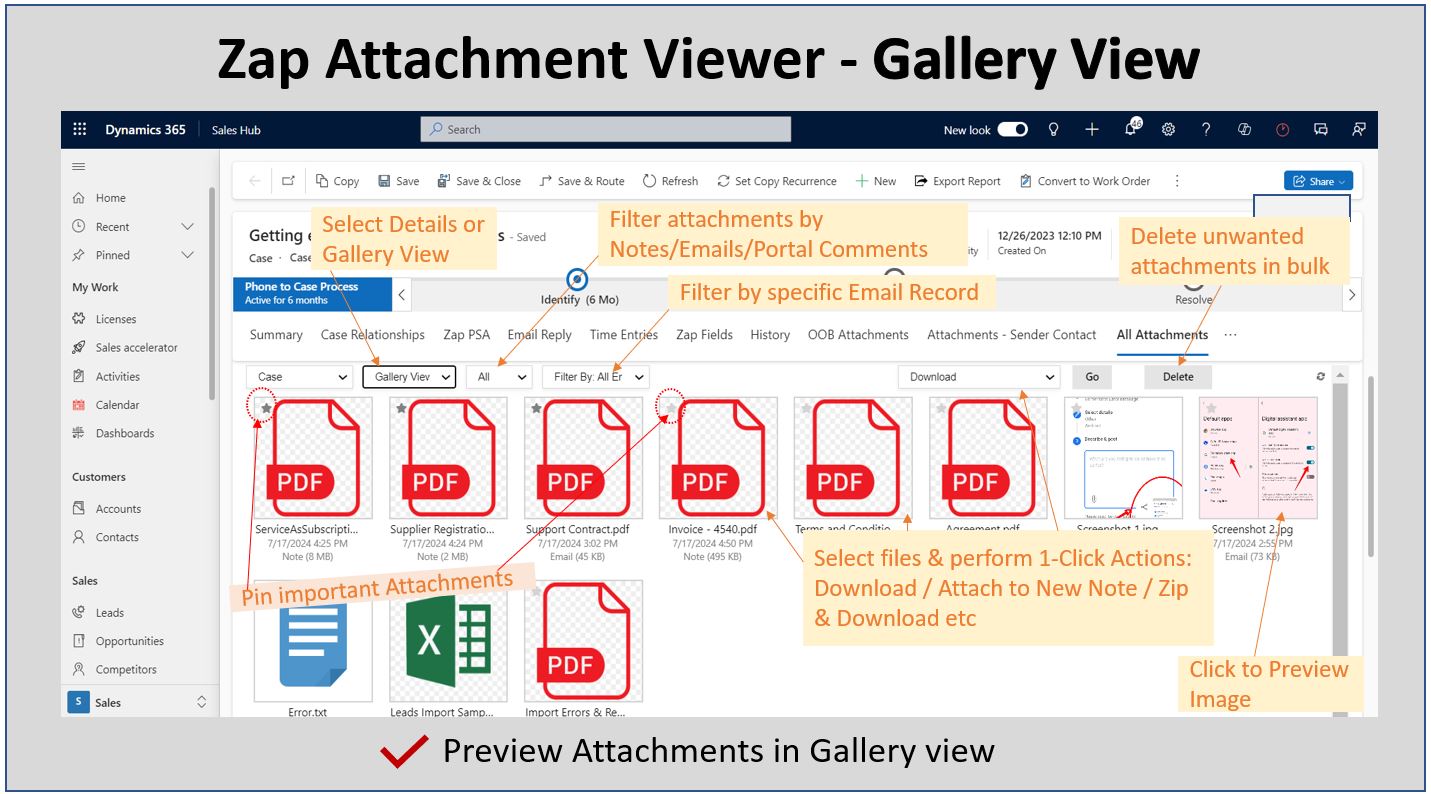
Feature Highlight #2: Preview Attachments list in Gallery View with ability to filter attachments by particular email record
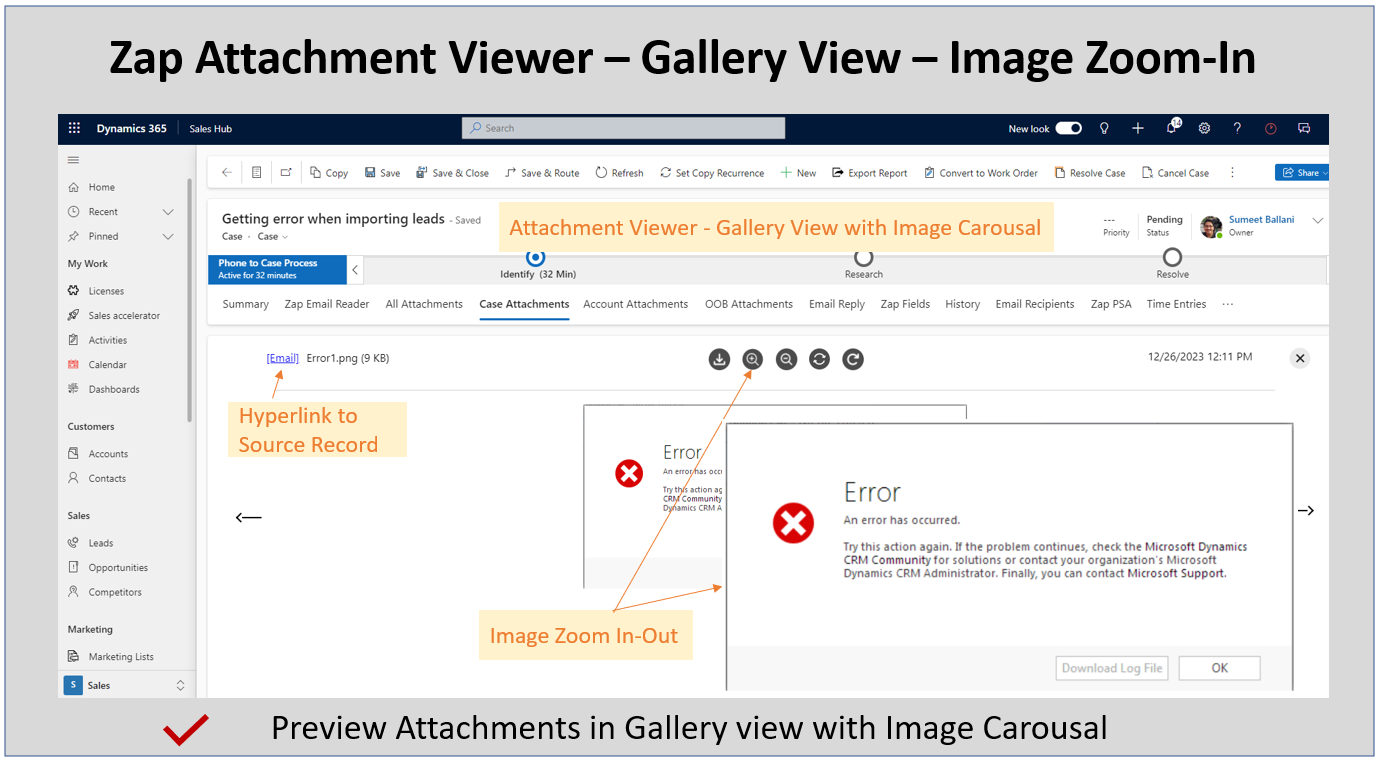
Feature Highlight #3: Ability to Zoom-In / Zoom-Out Images
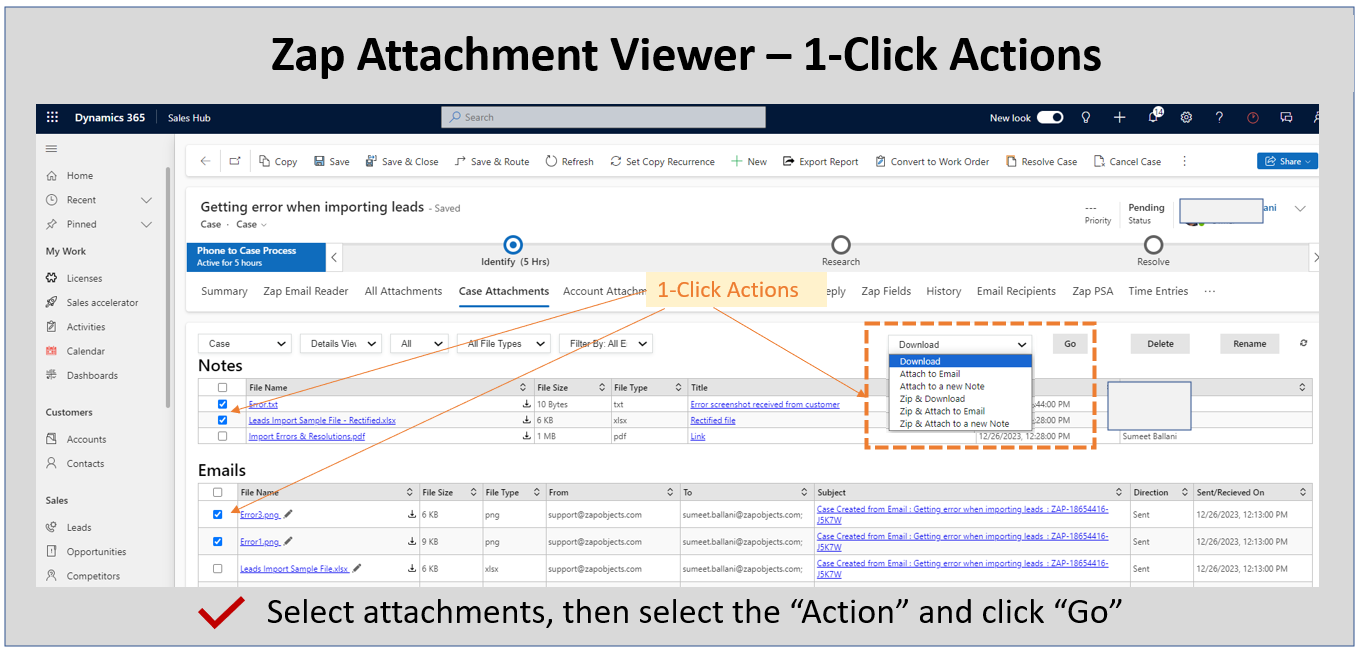
Feature Highlight #4: 1-Click Actions: Download, Attach to New Email, Attach to New Note, Zip & Download, Zip & Attach to New Email, Zip & Attach to New Note
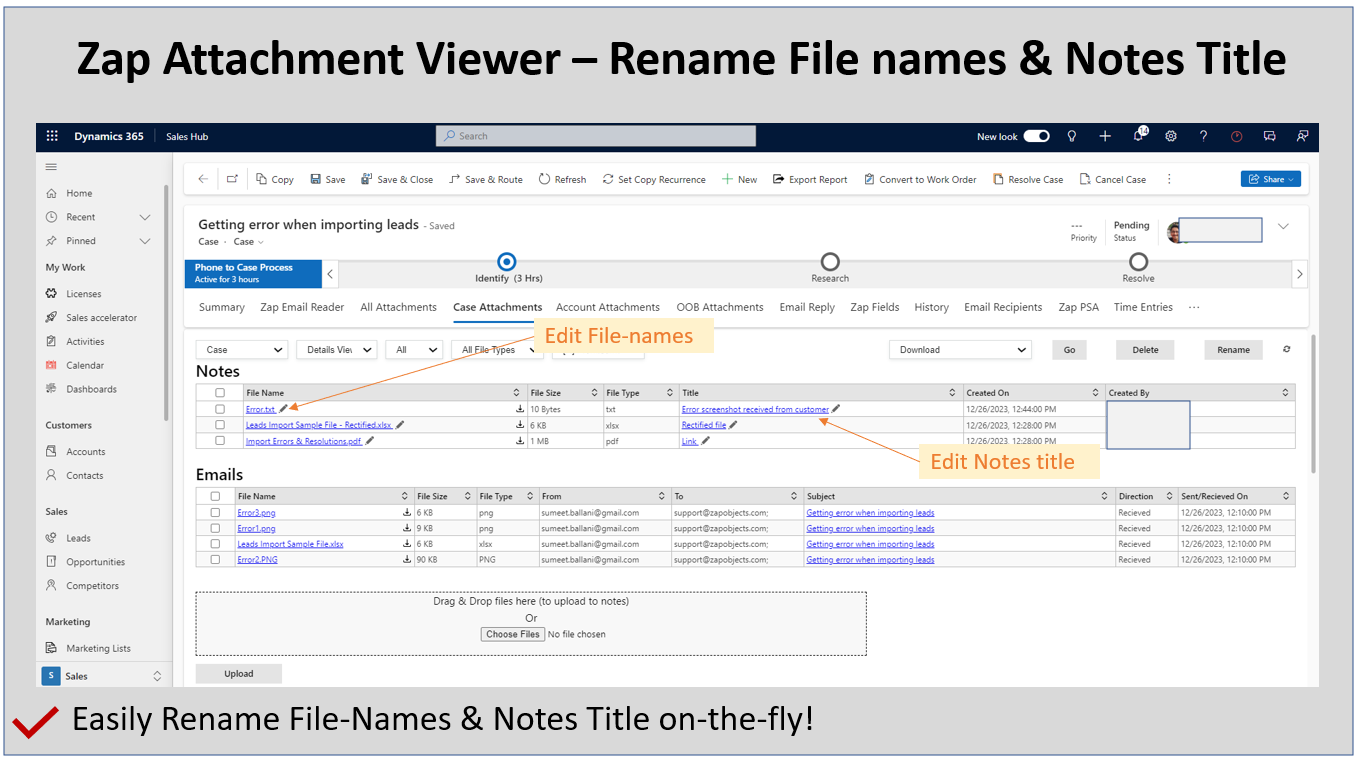
Feature Highlight #5: Ability to rename notes title and file names easily on-the-fly!
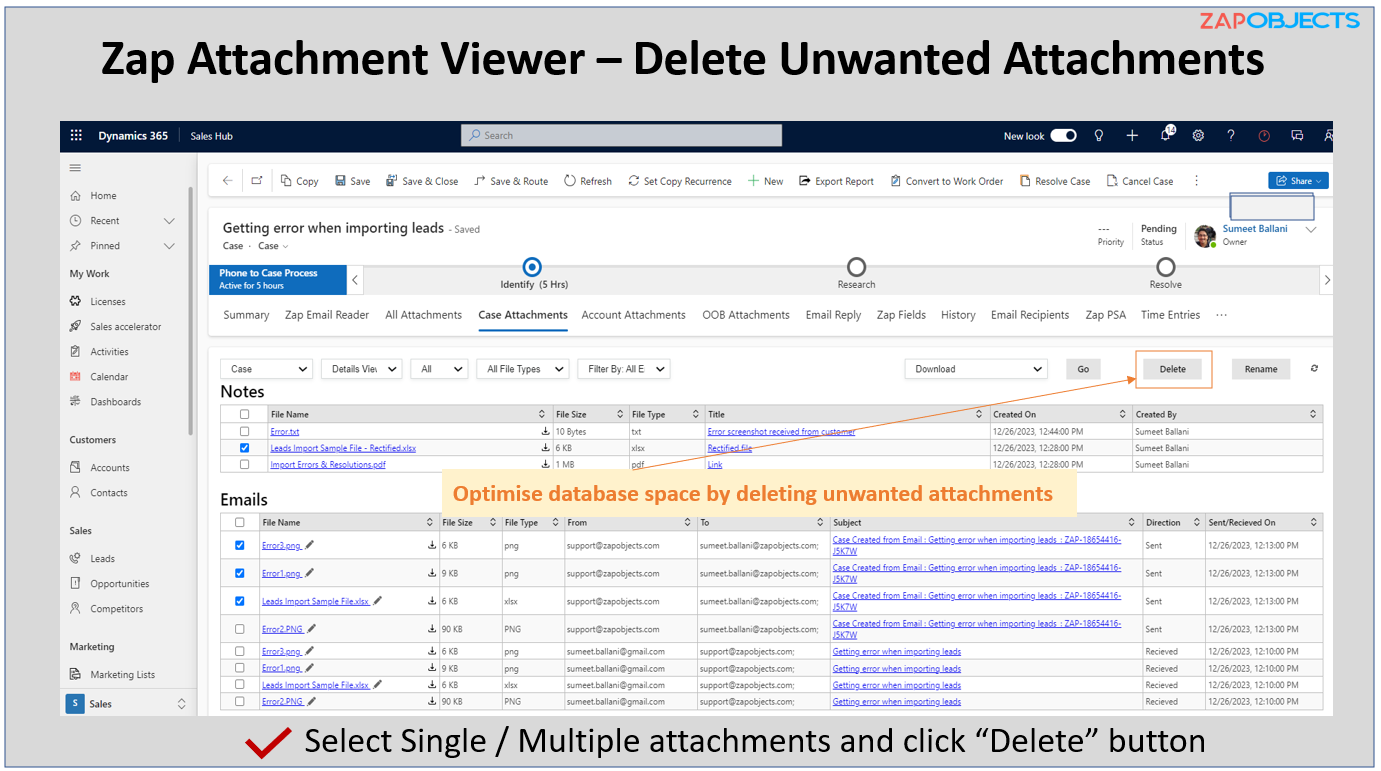
Feature Highlight #6: Optimize Database Storage by deleting unwanted attachments on-the-fly!
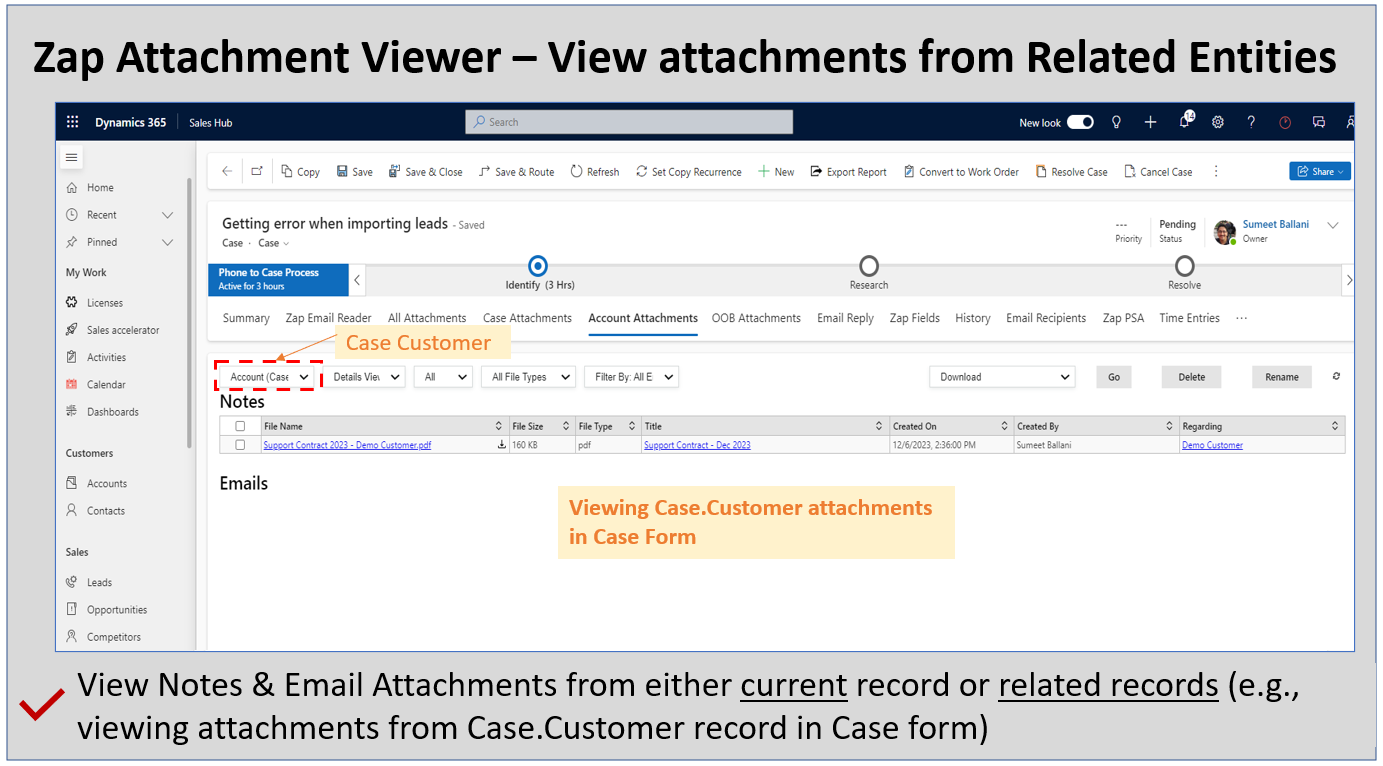
Feature Highlight #7: Ability to view attachments even from related entities (e.g. you could view attachments from Case.Customer(Account) within the Case form)
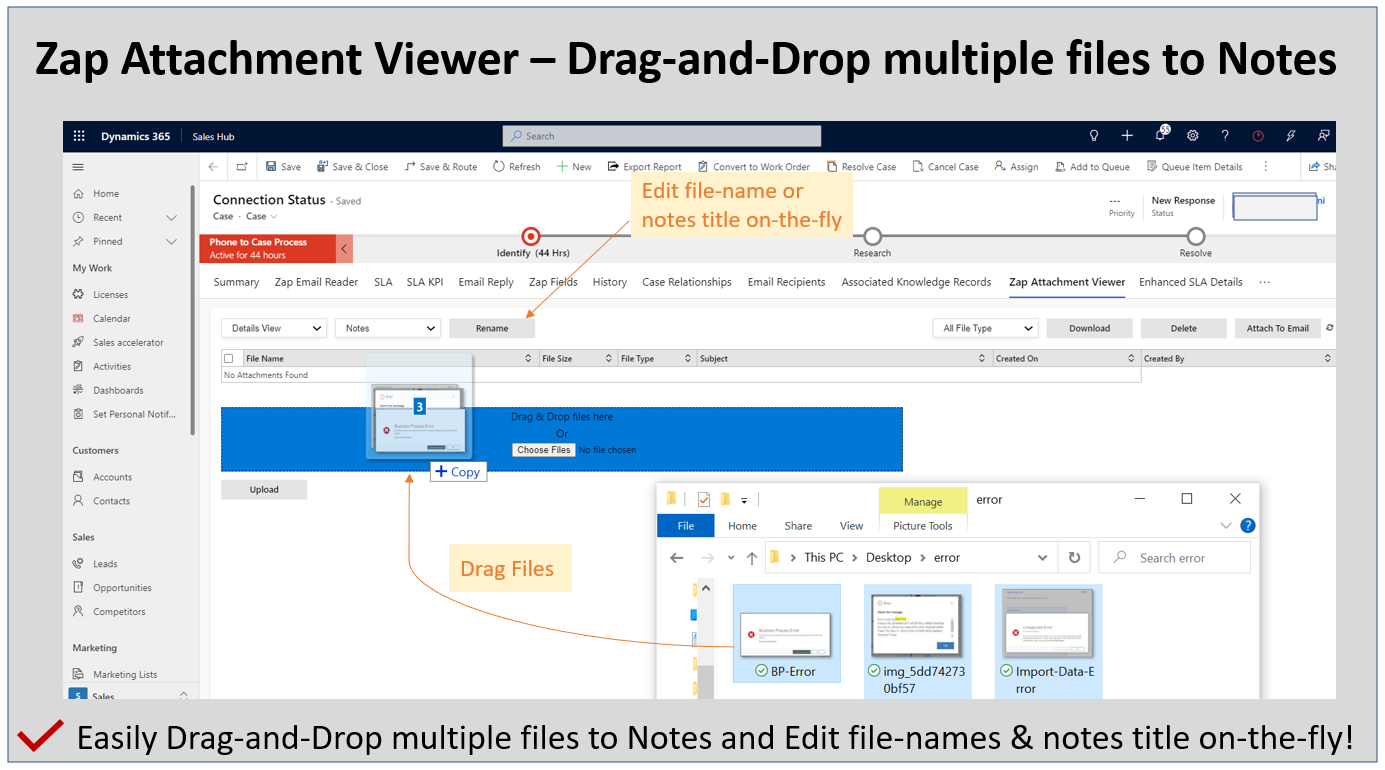
Feature Highlight #8: Easily upload files to Notes by Drag-and-Drop
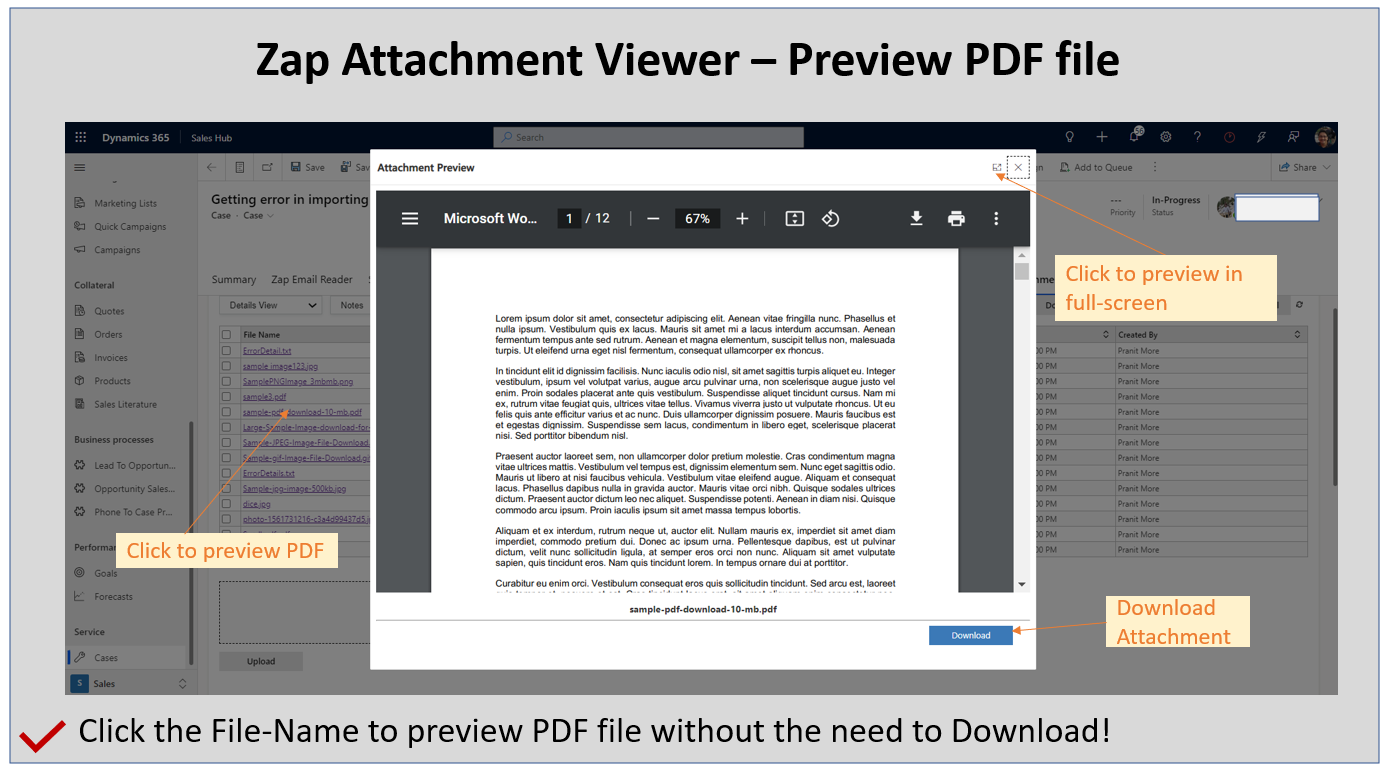
Feature Highlight #9: Preview PDF files without the need to Download
Feature Highlight #10: View ALL Email Attachments together (Global View)
Related Blog Posts
Now view / download / delete email attachments in bulk by using Zap Attachment Viewer App for Dynamics 365 Sales, Customer Service & Power Apps.
////This blog is presently in-progress and will be released on July 19, 2025 (along with the release or our newer version of Zap Attachment Viewer App) Zap Attachment Viewer App offers a consolidated view of all [...]
Pin Important Attachments using Zap Attachment Viewer App for Dynamics 365 Sales, Customer Service & Power Apps
Zap Attachment Viewer App offers a consolidated view of all attachments from notes, emails & portal comments in a single place within the Dynamics record / form. The attachments can be displayed from current as well [...]
How to better View & Manage attachments in notes and emails when using Zap Attachment Viewer App for Dynamics 365 for Sales, Customer Service & Power Apps
Zap Attachment Viewer App offers a consolidated view of all attachments from notes, emails & portal comments in a single place within the Dynamics record / form. The attachments can be displayed from current as [...]
Improve Agent Experience with “Zap Attachment Viewer” added to Case Form – when using Dynamics 365 for Customer Service
Zap Attachment Viewer offers a consolidated view of all attachments from notes, emails & portal comments in a single place within the Dynamics form. The attachments can be displayed from current as well as related [...]
How to view attachments from related entities (e.g. viewing attachments from Cases within Account form) when using Zap Attachment Viewer App for Dynamics 365 CE / PowerApps
Zap Attachment Viewer offers a consolidated view of all attachments from notes, emails as well as portal comments in a single place within the Dynamics form. Besides you could easily drag-and-drop multiple files which could [...]
How to drag-and-drop multiple attachments to Notes easily when using @ZapObjects Attachment Viewer App for Dynamics 365 for Sales, Customer Service and PowerApps
Zap Attachment Viewer App offers a consolidated view of all attachments from notes, emails as well as portal comments in a single place within the Dynamics 365 form. Along with previewing attachments, we can now [...]
How to view/preview consolidated list of all attachments within email, notes or portal comments (tracked against a record) using @ZapObjects Attachment Viewer App (with drag-and-drop) for Dynamics 365 for Sales, Customer Service or Power Apps
In Microsoft Dynamics 365 CE / Power Apps, you can attach documents (or any other file) to notes (one attachment per note can be attached). Further, you can also track sent and received emails to [...]
Now Preview attachments without the need to download using Zap Attachment Viewer App for Dynamics 365 Sales and Customer Service
Zap Attachment Viewer App provides a consolidated view of all attachments in emails as well as notes for a particular record. This list is displayed in a "Web Resource" which can be manually added to [...]
How to download attachments with fewer clicks in Microsoft Dynamics 365 for Sales and Customer Service CRM using free Zap Attachment Viewer App
In Microsoft Dynamics 365 for Sales and Customer Service CRM, you can attach documents (or any other file) to notes (one attachment per note can be attached). Further, you can also track sent and received [...]